


Multimedia guides are handheld devices displaying audio and video content, enriching experiences at museums, exhibitions, or collections. They seamlessly blend diverse media types.
These guides offer a dynamic alternative to traditional signage, providing visitors with a personalized and engaging exploration of cultural and historical sites.
What is a Multimedia Guide?
A multimedia guide represents a significant evolution in how information is presented and consumed, particularly within cultural and historical contexts. Essentially, it’s a portable device – often a dedicated handheld unit or a smartphone application – capable of delivering rich, interactive content related to a specific location or exhibit.
Unlike static displays or lengthy textual descriptions, a multimedia guide integrates various media formats. This includes high-quality audio narrations, captivating video clips, detailed image galleries, and increasingly, interactive elements like maps and 3D models. The core function is to enhance the visitor experience by providing a more immersive and personalized journey through the subject matter.
These guides aren’t merely replacements for traditional tours; they offer a flexible alternative, allowing visitors to explore at their own pace and focus on areas of particular interest. They serve as a digital companion, offering deeper insights and contextual information beyond what’s immediately visible.
The History of Multimedia Guides
The evolution of multimedia guides traces back to the early days of audio tours, initially utilizing simple tape players and headphones in museums during the 1950s and 60s. These rudimentary systems offered pre-recorded commentary, a significant step beyond printed brochures.
The 1990s witnessed a technological leap with the introduction of CD-ROM based devices, offering improved audio quality and the ability to incorporate basic images. However, these were bulky and lacked interactivity. The arrival of MP3 players in the early 2000s brought portability and increased storage capacity, paving the way for more sophisticated audio experiences.
The true revolution arrived with smartphones. Today’s multimedia guides are predominantly app-based, leveraging the power of mobile technology to deliver high-resolution images, video, interactive maps, and personalized content. This shift has dramatically lowered costs and increased accessibility, making immersive experiences available to a wider audience.
Benefits of Using Multimedia Guides
Multimedia guides offer a wealth of advantages for both visitors and institutions. They enhance engagement by providing immersive, personalized experiences, catering to diverse learning styles through varied media – audio, visuals, and interactive elements.
These guides overcome language barriers, offering content in multiple languages, broadening accessibility for international audiences. They also provide detailed information beyond what’s possible with traditional signage, enriching understanding and appreciation of exhibits.
For institutions, multimedia guides reduce reliance on live docents, lowering operational costs. Data analytics gathered from guide usage provide valuable insights into visitor behavior, informing future exhibit design and content development. Ultimately, they elevate the overall visitor experience, fostering deeper connections and encouraging repeat visits.

Components of a Multimedia Guide
Multimedia guides integrate hardware – devices like smartphones or dedicated players – with sophisticated software and compelling content, delivering immersive experiences to users.
Hardware Considerations
Hardware selection is crucial for a successful multimedia guide implementation. Devices range from dedicated handheld players to utilizing visitors’ personal smartphones via apps.
Dedicated devices offer controlled experiences, ensuring compatibility and consistent performance, but involve upfront costs and maintenance. Smartphone apps leverage existing technology, reducing expenses and offering familiarity.

Key considerations include screen size and resolution for optimal viewing of images and videos, battery life to support extended usage, and durability to withstand frequent handling. Storage capacity is vital for accommodating substantial multimedia content.
Headphone compatibility and audio quality are also paramount, ensuring clear narration and sound effects. Robustness and resistance to environmental factors, like dust and moisture, are essential for outdoor applications.
Software and Application Development
Software development forms the core of a functional multimedia guide. For dedicated devices, custom operating systems and applications are often required, demanding specialized programming expertise.
Smartphone-based guides utilize cross-platform development frameworks, like React Native or Flutter, enabling compatibility with iOS and Android. The application must facilitate seamless content delivery, intuitive navigation, and robust offline access.
Content Management Systems (CMS) are essential for easy updates and maintenance of multimedia assets. Integration with location services, like GPS or Bluetooth beacons, enables context-aware content delivery.
User account management, data analytics tracking user behavior, and accessibility features are also vital components. Thorough testing across various devices and operating systems is crucial for a polished user experience.
Content Creation Tools
Developing compelling multimedia content requires specialized tools. For audio narration, Digital Audio Workstations (DAWs) like Audacity or Adobe Audition are essential for recording, editing, and mastering sound effects.
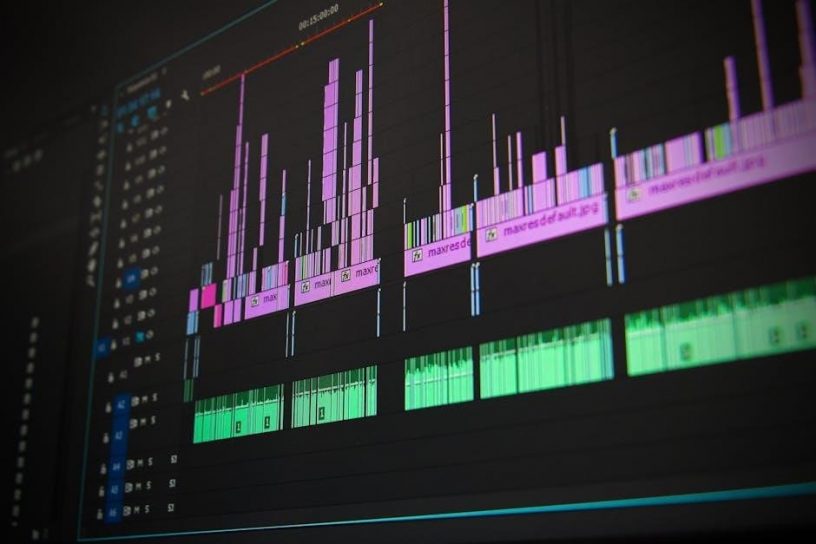
Image editing software, such as Photoshop or GIMP, allows for enhancing and preparing high-resolution photos for galleries. Video editing suites, including Adobe Premiere Pro or Final Cut Pro, facilitate the creation of short clips and documentaries.
Interactive map creation often utilizes GIS software or dedicated mapping platforms. 3D modeling tools, like Blender or Maya, are used for creating immersive virtual representations.
Presentation software, such as PowerPoint or Keynote, can aid in storyboarding and organizing content. Effective content creation demands a blend of technical skill and creative storytelling.

Types of Multimedia Content
Multimedia guides utilize diverse content: audio narrations, image galleries with high-resolution photos, engaging video clips, and interactive elements like maps and 3D models.
Audio Content: Narration and Sound Effects
Audio content forms a cornerstone of effective multimedia guides, delivering immersive experiences through expertly crafted narration and evocative sound effects. High-quality narration provides detailed information, context, and storytelling, bringing exhibits to life for visitors.
Beyond simple descriptions, sound effects can dramatically enhance engagement, recreating historical atmospheres or highlighting specific details within an artwork. Consider the impact of ambient sounds at a historical site, or subtle musical cues accompanying a painting’s explanation.
Effective audio design prioritizes clarity and pacing, ensuring information is easily digestible. Podcasts and interviews can also be integrated, offering diverse perspectives and enriching the overall learning experience. Careful consideration of audio levels and background noise is crucial for optimal usability.
Image Galleries and High-Resolution Photos
Image galleries and high-resolution photos are vital components of compelling multimedia guides, offering visual depth and detail beyond what’s immediately visible. These visuals supplement audio narration, providing close-up views of artwork, architectural features, or historical artifacts.
Utilizing high-resolution imagery is paramount; visitors should be able to zoom in and examine details without pixelation. Galleries should be curated thoughtfully, presenting images in a logical sequence that enhances understanding. Consider including comparative images, showing restoration processes or different perspectives;
Effective implementation involves intuitive navigation and fast loading times. A well-designed interface allows users to easily browse and explore the visual content, enriching their overall experience and fostering a deeper connection with the subject matter.
Video Integration: Short Clips and Documentaries
Video integration significantly elevates the multimedia guide experience, offering dynamic content that complements audio and images. Short clips can showcase demonstrations, reenactments, or expert interviews, bringing history and art to life. Longer-form documentaries provide in-depth explorations of complex topics, offering a richer understanding.
Effective video use requires careful consideration of length and pacing. Clips should be concise and focused, maintaining visitor engagement. Documentaries should be broken into manageable segments, allowing for flexible viewing.
High production quality is crucial; clear visuals and audio are essential. Subtitles and transcripts enhance accessibility. Seamless integration within the guide’s interface ensures a smooth and immersive experience, transforming passive observation into active learning.
Interactive Maps and 3D Models
Interactive maps within a multimedia guide revolutionize spatial understanding, allowing visitors to pinpoint locations of interest and navigate complex sites with ease. These maps can feature layered information, revealing historical layouts or hidden details. Coupled with this, 3D models offer immersive visualizations of artifacts, buildings, or landscapes, providing perspectives impossible through traditional displays.
Users can rotate, zoom, and explore these models, gaining a deeper appreciation for their form and function. Integration with GPS technology enables location-aware content delivery, triggering relevant information as visitors move through a space.
Such features enhance engagement and comprehension, transforming the guide into a powerful tool for exploration and discovery, fostering a more memorable and informative experience.

Designing Effective Multimedia Guides
Effective multimedia guide design prioritizes intuitive navigation, accessibility, and a seamless user experience. Concise text, coupled with engaging visuals, guides visitors through content effortlessly.
User Interface (UI) and User Experience (UX) Design
UI/UX design is paramount for successful multimedia guides. The interface must be intuitive, allowing effortless navigation even for first-time users. Clear visual hierarchy and consistent design elements are crucial. Consider the target audience; a guide for children will differ significantly from one designed for art historians.
UX focuses on the overall experience. Minimize cognitive load by presenting information in digestible chunks. Interactive elements should be responsive and engaging, enhancing rather than hindering exploration. Prioritize accessibility – ensure the guide is usable by individuals with disabilities, offering options for text size, audio descriptions, and alternative navigation methods.
The screen size of smartphones, often used as multimedia guide platforms, demands careful consideration. Content must be structured to fit comfortably on smaller displays, optimizing for touch interaction and readability. A well-designed UI/UX transforms a device into a valuable companion, enriching the visitor’s journey.
Navigation and Accessibility
Effective navigation is vital for multimedia guides. Users need to easily locate desired content, whether through a map, list, or search function. Clear signposting and a logical information architecture prevent frustration. Consider incorporating breadcrumbs or a “you are here” feature to orient visitors within the guide’s structure.
Accessibility is non-negotiable. Guides must cater to diverse needs, including visual and auditory impairments. Offer adjustable font sizes, high contrast modes, and screen reader compatibility. Provide transcripts for audio content and captions for videos. Alternative text descriptions for images are essential.
Intuitive controls and customizable settings empower all users. Simple, universally understood icons enhance usability. Prioritizing accessibility ensures that everyone can fully benefit from the multimedia guide experience, fostering inclusivity and enriching cultural engagement.
Text Integration: Concise and Impactful Information
Within a multimedia guide, text shouldn’t dominate; it should support the richer media. Keep descriptions concise and impactful, acting as a guide rather than a comprehensive source. Prioritize clarity and avoid jargon. Focus on key facts and compelling narratives that enhance the audio or visual experience.
Employ bullet points and short paragraphs for easy readability on smaller screens. Strategic use of headings and subheadings breaks up text and improves scannability. Ensure text complements the visuals, providing context and deepening understanding.
Remember, visitors are often exploring a physical space simultaneously. Text should be quickly digestible, allowing them to remain engaged with their surroundings while benefiting from the multimedia content.
Multimedia Guide Applications
Multimedia guides excel in museums, historical sites, and tourism, offering immersive experiences. They enhance exploration, providing contextual information and engaging narratives for visitors.
Museum and Art Gallery Applications
Multimedia guides revolutionize the museum experience, moving beyond static labels to offer dynamic, in-depth explorations of exhibits. Visitors can access detailed audio commentary on artworks, artist biographies, and historical context, enriching their understanding and appreciation.
These guides often feature high-resolution images, allowing for close examination of details, and even video clips showcasing restoration processes or interviews with curators. Interactive maps within the guide help navigate complex museum layouts, ensuring visitors don’t miss key pieces.
Furthermore, multimedia guides cater to diverse learning styles, offering content in multiple languages and formats. They empower visitors to curate their own personalized tours, focusing on areas of particular interest, fostering a more engaging and memorable museum visit.
Historical Site and Landmark Guides
Multimedia guides dramatically enhance visits to historical sites and landmarks, bringing the past to life through immersive storytelling. Beyond simple descriptions, these guides offer narrated accounts of events, detailing the significance of locations and the lives of those who inhabited them.
Imagine standing before ancient ruins while listening to a reconstruction of daily life, or exploring a battlefield accompanied by eyewitness testimonies. Multimedia guides frequently incorporate archival images, historical maps, and even 3D models of structures as they once appeared.
They provide context, depth, and a sense of connection to history that traditional signage simply cannot match, transforming a passive observation into an active and engaging learning experience for all visitors.
Tourism and City Exploration
Multimedia guides are revolutionizing tourism and city exploration, offering travelers a personalized and in-depth experience beyond typical guidebook information. These guides act as digital companions, providing curated walking tours, highlighting hidden gems, and delivering fascinating insights into local culture and history.
Imagine discovering a city’s secrets through audio narratives, interactive maps pinpointing points of interest, and high-resolution images showcasing architectural details. Multimedia guides often include practical information like restaurant recommendations, transportation options, and local event listings.
They empower tourists to explore at their own pace, fostering a deeper connection with the destination and creating unforgettable travel memories, all conveniently accessible on a smartphone or dedicated device.

Technical Aspects of Multimedia Guides
Multimedia guides require robust data storage, efficient battery management, and reliable connectivity – often utilizing Wi-Fi or Bluetooth – for seamless content delivery and user experience.
Data Storage and Management
Data storage is a critical technical aspect of multimedia guides, demanding careful consideration of file sizes and access speeds; High-resolution images, audio narrations, and video clips consume significant storage space, necessitating either substantial onboard memory or cloud-based solutions.
Effective data management involves organizing content logically for quick retrieval. Databases are frequently employed to catalog and index multimedia assets, enabling efficient searching and playback. Content Delivery Networks (CDNs) can also be utilized to distribute content closer to users, minimizing latency and improving performance.
Regular backups and version control are essential to prevent data loss and ensure content accuracy. Furthermore, the system must accommodate future content updates and expansions without compromising performance or stability. Scalability is key, allowing for the addition of new exhibits or features as needed.
Battery Life and Power Management
Battery life is a paramount concern for multimedia guide usability. Visitors expect devices to function throughout their entire visit without requiring recharging. Power consumption is directly linked to screen brightness, audio volume, and the processing demands of multimedia content.
Effective power management strategies are crucial. These include optimizing software to minimize energy usage, implementing automatic screen dimming or sleep modes, and utilizing power-efficient hardware components. The choice of battery technology – Lithium-ion or newer alternatives – significantly impacts performance.
Consideration should be given to providing charging stations within the venue, or offering portable power banks as an optional accessory. Real-time battery level indicators are essential for user awareness, preventing unexpected shutdowns during the tour. Careful design and testing are vital to maximize operational time.
Connectivity: Wi-Fi and Bluetooth
Connectivity options are vital for modern multimedia guides, enabling content updates and interactive features. Wi-Fi allows for over-the-air downloads of new exhibits, language options, or high-resolution media, reducing the need for manual updates. It also facilitates location-based services within the venue.
Bluetooth connectivity enables seamless pairing with headphones for a private listening experience, enhancing visitor comfort and minimizing disturbance to others. It can also connect to beacon technology for precise indoor positioning and triggering of location-specific content.
A robust and reliable wireless infrastructure is essential for optimal performance. Consideration should be given to network security and bandwidth capacity to support multiple concurrent users. Hybrid approaches, combining both Wi-Fi and Bluetooth, offer the most versatile solution.

Future Trends in Multimedia Guides
Augmented Reality (AR), AI-powered personalization, and dynamic content delivery are revolutionizing multimedia guides, creating immersive and adaptive visitor experiences.
Augmented Reality (AR) Integration
Augmented Reality (AR) is poised to dramatically transform multimedia guides, moving beyond simple audio-visual presentations to offer truly immersive experiences. Imagine pointing your smartphone at a painting and instantly seeing it come to life with animated details or historical context overlaid onto the real-world view.
AR integration allows for interactive overlays, 3D reconstructions of historical scenes, and gamified exploration, enhancing engagement and knowledge retention. Visitors can unlock hidden layers of information, participate in virtual tours, and interact with exhibits in entirely new ways.
This technology bridges the gap between the physical and digital worlds, providing a richer, more personalized, and memorable experience. AR-enhanced guides can also offer multilingual support and accessibility features, catering to a wider audience. The future of multimedia guides is undoubtedly intertwined with the continued development and adoption of AR technologies.
Personalized Content Delivery
Personalized content delivery represents a significant evolution in multimedia guide functionality. Moving beyond one-size-fits-all tours, future guides will leverage user data and preferences to curate bespoke experiences. This could involve tailoring content based on age, interests, prior knowledge, or even the visitor’s pace and location within the venue.
Imagine a guide that automatically adjusts the level of detail provided, offering simplified explanations for children or in-depth analysis for art historians. AI algorithms can analyze user interactions to recommend specific exhibits or storylines, maximizing engagement and learning.
Furthermore, personalized guides can adapt to language preferences and accessibility needs, ensuring inclusivity. This level of customization transforms the multimedia guide from a passive information source into an active, responsive companion, enhancing the overall visitor experience.
Artificial Intelligence (AI) Powered Guides
Artificial Intelligence (AI) is poised to revolutionize multimedia guides, moving them beyond pre-programmed content; AI-powered guides can offer dynamic, interactive experiences, responding to visitor questions in real-time through natural language processing. Imagine asking a guide “Tell me more about the artist’s inspiration,” and receiving a tailored, insightful response.
AI can also analyze visitor behavior – dwell time at exhibits, frequently asked questions – to continuously improve content and optimize tour routes. Machine learning algorithms can identify patterns and predict visitor interests, proactively offering relevant information.
Furthermore, AI can facilitate personalized recommendations, translate languages on-the-fly, and even provide emotional intelligence, adapting the tone and style of narration to suit the visitor’s mood. This creates a truly intelligent and engaging museum experience.

Challenges in Multimedia Guide Development
Multimedia guide development faces hurdles like frequent content updates, high development costs, and ensuring device compatibility across diverse platforms and operating systems.
Content Updates and Maintenance
Maintaining a multimedia guide’s content is a continuous process, demanding significant resources and careful planning. Exhibits evolve, new discoveries are made, and visitor feedback necessitates regular revisions to audio scripts, images, and interactive elements.
Outdated information diminishes the guide’s value and can lead to visitor dissatisfaction. A robust content management system (CMS) is crucial, allowing administrators to efficiently update materials without requiring specialized technical skills.
Furthermore, ensuring content accuracy and consistency across all devices is paramount. Version control, rigorous quality assurance checks, and a dedicated team responsible for ongoing maintenance are essential for delivering a reliable and engaging experience. The frequency of updates should align with the dynamism of the showcased content.
Cost of Development and Implementation
The cost of developing and implementing a multimedia guide system can vary significantly, depending on the scope and complexity of the project. Initial expenses include hardware procurement – devices like smartphones or dedicated players – and software development for the application itself.
Content creation represents a substantial portion of the budget, encompassing scriptwriting, narration, photography, videography, and interactive element design. Ongoing costs involve content updates, maintenance, server infrastructure, and technical support.
Consider licensing fees for software and media assets. Choosing between in-house development or outsourcing impacts costs. A phased rollout can help manage expenses, but a comprehensive cost-benefit analysis is vital before embarking on a multimedia guide project.
Ensuring Device Compatibility
Ensuring device compatibility is crucial for a successful multimedia guide deployment. Given the diversity of user-owned smartphones and tablets, applications must function seamlessly across various operating systems (iOS, Android) and screen sizes.
Responsive design principles are essential, adapting content dynamically to different displays. Thorough testing on a range of devices is paramount, identifying and resolving potential issues with performance, audio output, and visual rendering.
If providing dedicated devices, selecting durable and reliable hardware is key. Regular software updates are needed to maintain compatibility with evolving operating systems. Consider offering a web-based version for users without compatible devices, broadening accessibility.
Leave a Reply
You must be logged in to post a comment.